
A website chatbot: the simplest way to use AI on a company's public content
A website chatbot uses content your company already publishes: offer, FAQ and terms. How it works, its limits and what to check before deploying it.
Among all the routes by which a business can begin adopting artificial intelligence, a chatbot on its website stands out as the least complicated and quickest option. No system needs to be built, and no model needs to be trained. What it is, in fact, is an off-the-shelf commercial service that runs on large language models and pulls from material the company has already made public.
The content such a chatbot works from is public: the offer, replies to frequently asked questions, delivery conditions, the terms and conditions. Since no access to internal company documents is required, launch happens fast and no fresh data has to be assembled. AI tools that operate on internal documents demand considerably more groundwork, a point covered in documents first, then AI.
How a website chatbot works
Knowledge about the company is gathered by the chatbot service first. Providers differ, but typically you can aim it at a knowledge base, hand it links to FAQ, offer or terms pages, upload files holding additional information, or have it crawl the site on its own. A brief piece of code placed on the site renders the chat window. Once a visitor poses a question, the service locates corresponding passages within the collected content and assembles an answer from them, ideally attaching a link to the source page. The language model does not learn from the company's site; what it does is search it, so whenever content changes the service simply has to read it once more.
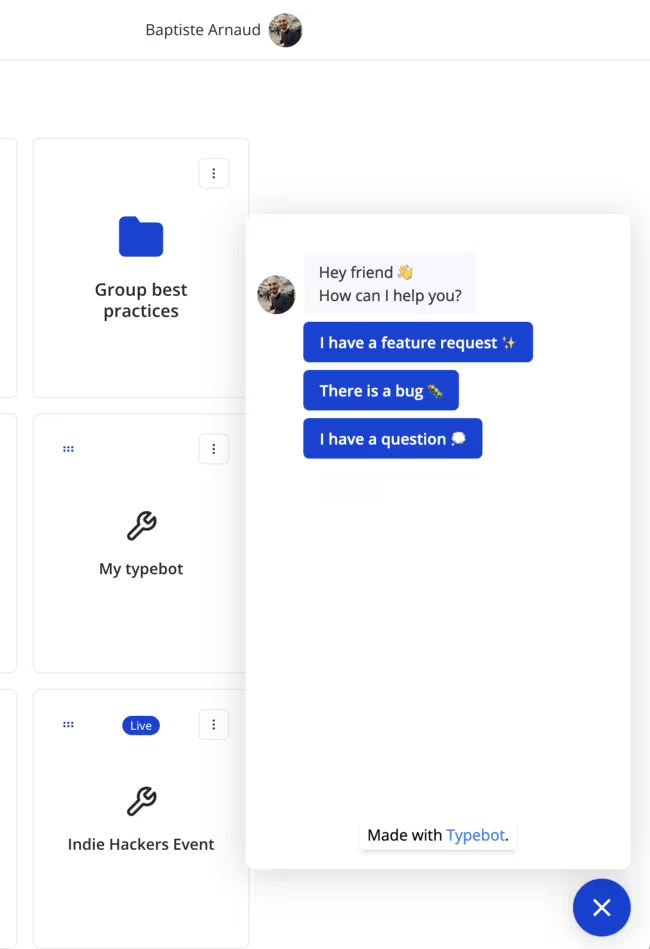
Answers arrive from a chatbot around the clock and in multiple languages. Repetitive questions about delivery times, returns, opening hours or basic product details get absorbed by it, which frees the team to concentrate on matters requiring a human. Conversation logs also feed analytics that come bundled with these services. They reveal what customers cannot locate on the site, where they tend to get stuck and which products they search for, and such findings later inform ad campaigns.
Limits of a website chatbot
Knowing where a chatbot's capabilities stop is among the toughest challenges. When a customer wanders beyond the planned script or asks something unforeseen, older rule-based bots lose their way. Frustration also arises from badly designed conversation flows: prompts that are unclear or too convoluted push customers through options that fail to match their needs. For this reason, chatbot services allow you to specify the circumstances under which store staff step into the conversation.
Questions that are unusual are handled better by chatbots built on language models, yet a different weakness affects them: even when the right information was not found, they may produce a fluent, confident answer. The customer then carries that answer to the support team, and a single issue multiplies into two.
Current, accurate content is the foundation
Knowledge about the company and its services cannot be conjured out of nothing by a chatbot. Only what it finds in the content it was given forms the basis of its answers, so a price list that is out of date or information that conflicts across two pages translates into answers that are outdated and contradictory. Ahead of deployment, clean up the source content and drop pages and landing pages that are no longer current from search, such as old terms or shipping price lists, and repair broken links.
Confirm that contact forms genuinely function, including proper mail server (SMTP) settings in the store, whether it runs on WooCommerce, PrestaShop or another platform. Worse than having no chatbot at all is having one that directs customers to a broken form. An outside perspective on the site comes from a regular functional website audit with an SEO focus. Before new features such as an AI chatbot go live, it identifies content gaps and recommends what to add so that visitors' experience and satisfaction improve.
What to check before deploying a chatbot
Most critical is a path to a real person whenever the chatbot lacks an answer or the matter matters to the customer. A Gartner survey of more than 5,700 customers found that 64% would prefer companies not to use AI in customer service, and 53% would consider switching to a competitor if a company started doing so. Difficulty reaching a person topped the list of concerns. Helping is what a chatbot should do, not standing between the customer and the support team.
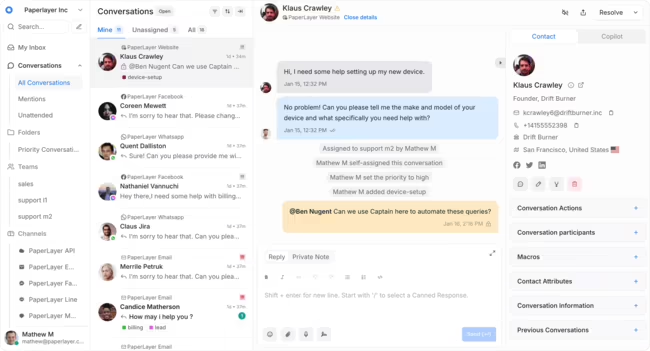
Try the chatbot against real customer questions, awkward ones included, and go through the conversation logs weekly during the first month. Frequently it emerges that the site's content is what needs fixing while the bot's settings can remain untouched, since the site is where the bot obtains all its knowledge.
Legal matters are often forgotten. Using an external chat service means conversations, and often personal data visitors type in, are processed by the provider. This has to be reflected in the terms and privacy policy: check where and for how long conversations are stored, and update these documents after deployment.
Services worth a look
If data location and GDPR compliance matter, it makes sense to start with European providers. Several offer chatbots that learn from website content and are embedded with a short script:
- Tidio, a company founded in Poland, with the Lyro AI agent aimed at small and mid-sized online stores.
- ChatBot.com from Text, formerly LiveChat, also from Poland, which builds a bot from website content and hands conversations over to a human chat.
- Zowie from Poland, focused on automating customer service in e-commerce.
- Crisp from France, a messaging platform with AI answers drawn from a knowledge base.
- Userlike and moinAI from Germany, with an emphasis on EU hosting.
Features, hosting locations and prices change often, so check current information before choosing, including which language model the service uses and where data is processed. More advanced AI systems that work on an organisation's internal data sources are described on the page about AI built on company data.
Frequently asked questions: Chatbots
Does a website chatbot learn from company data?
Not in the sense of training a model. The service searches the content it's given, such as pages, FAQs or terms, and prepares answers from it. When content on the site changes, the service just needs to read it again.
Can a chatbot replace customer service?
It shouldn't. It handles repetitive questions well, but in unusual or disputed matters customers expect to reach a person. Research shows that difficulty reaching a human is one of customers' biggest concerns about AI.
Will a chatbot slow down page loading?
Not if its script doesn't load the moment someone opens the page. When embedding a chatbot script, use the defer attribute or load the widget only once the visitor clicks the chat icon.
- Chatbots
- AI
- Customer service
- Website