
Running a local LLM in a company: which hardware for which model
A local LLM for company documents: why GPU VRAM matters most, which models to consider, when a VPS is enough and why training needs more than evaluation.
Companies that have organised their documents in an archive such as Paperless-ngx soon reach the next question: can the language model that is supposed to read those documents run on their own hardware? It can, and which hardware to buy depends on which model is needed and for what.
A local LLM does not have to match the largest cloud models. For describing documents, extracting dates and correspondents or answering questions about the archive, a mid-sized model is often enough, and the data never leaves the company.
GPU memory matters most
Which model can run is decided above all by the graphics card's memory, VRAM. A model runs smoothly only when its weights fit entirely in that memory. If they don't, part of the model spills into system RAM and answers slow down many times over. The card's compute power matters as well, but a lack of memory is what most often rules a model out.
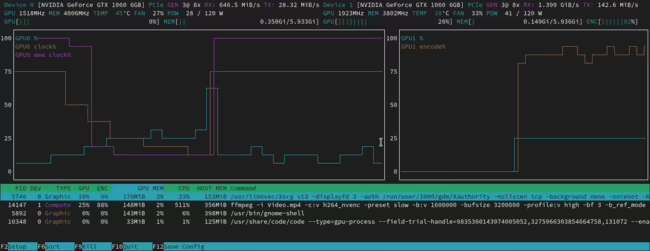
Quantisation, storing the weights at lower precision, reduces the memory needed. As a rough guide, a 4-bit model takes a little over half a gigabyte per billion parameters, so an 8B model needs around 5 GB and a 32B model around 20 GB. On top of that comes memory for the context, meaning the text the model has in front of it at once, and for parallel requests from several users. Long documents and several people asking at the same time can take as much memory as the model itself.
Which models run locally
Open-weight models now come from several major vendors. The families seen most often are Llama from Meta, Qwen from Alibaba, Mistral, Gemma from Google, gpt-oss from OpenAI and DeepSeek. For documents in Polish, models developed in Poland such as Bielik or PLLuM, trained with a larger share of Polish text, are worth testing too. Each family comes in several sizes, and licences differ in their terms for commercial use, so they need checking before deployment.
In practice the sizes fall into three groups. Small models, up to a few billion parameters, handle classification, tagging and pulling single fields out of documents well. Mid-sized models, from around ten to several dozen billion parameters, answer questions about document content and prepare summaries at a level that is enough for most business uses. The largest models come close to cloud services in quality, but need several graphics cards or a server with a very large memory pool.
A document system usually needs more than one model. An embedding model turns document fragments into vectors for search and is small enough to run next to the main model without extra hardware. For poor-quality scans, tables and handwriting, vision models join in: they read the document as an image and often do better than classic OCR.
From an office computer to a GPU server
Hardware is matched to the model and the number of users, not the other way round. A computer or small server with a single consumer card with 8–16 GB of VRAM is enough for small models and individual users, for example for automatic tagging in Paperless-ngx. A workstation with a 24–32 GB card or two cards handles mid-sized models and a small team. Larger models, many simultaneous users and long documents call for a server with data-centre cards.
Apple computers with M-series chips, where the CPU and GPU share one memory pool, offer another route. That memory can reach several hundred gigabytes, so large models fit, but answers are generated more slowly than on the strongest cards and many simultaneous users weigh on them more heavily. RAM and storage count as well: a single model takes from a few to several hundred gigabytes, and companies usually keep several to compare results.
Can a local model run on a VPS?
Yes. Cloud and hosting providers offer virtual servers with graphics cards, including in data centres in the European Union. The model then runs on infrastructure the company rents rather than at an AI provider, and access can be limited to a private network or VPN, just as with the document archive. It is a convenient way to start and to test before committing to your own hardware. An ordinary VPS without a graphics card will run only a small model and serve individual requests, so it suits background tasks rather than chatting with an archive. BeGiga sets this up together with the server and the model itself as part of its AI and document analysis service.
Reaching a local server from outside the office
A model server usually sits in the office or a server room, while employees want to use it from home or on the road as well. Secure access from outside the office can be built in two ways: through a private VPN network or through a tunnel to a trusted intermediary. In both cases the server does not need to be visible from the internet.
The first way is a private VPN-style network, where the server and employees' devices connect through an encrypted tunnel. It can be built on WireGuard, for example on a small VPS, or with a ready service based on that protocol, such as Tailscale. When the model runs on cloud servers, for instance at Hetzner, the servers are linked through the provider's private network and only a VPN gateway faces the internet. The second way is a tunnel in which the server itself opens an outbound connection to an intermediary, so no ports need opening. This is how Cloudflare Tunnel works, usually paired with Cloudflare Access, which requires a company account login before letting anyone into the application.
The choice depends on how sensitive the data is. With Cloudflare Tunnel, traffic is decrypted on the intermediary's servers before it reaches the company. For documents that should not leave the company even briefly, a VPN fits better, since encryption covers the whole path from the employee's device to the server. Opening a port on the router and exposing the server on a public IP address is a poor idea in most cases. The Ollama API requires no login by default, so anyone who finds such an address can use the model, load the server and, with an archive connected, try to reach the documents as well. Security comes down to configuration: who has access, how it is revoked when people leave, and whether the server is updated regularly. BeGiga sets this up together with the server and the model itself as part of its AI and document analysis service.
Training, fine-tuning and evaluation have different requirements
Running a model, called inference, is the lightest of these tasks. Evaluation rests on the same thing: the model answers a prepared set of questions and its answers are compared with the expected ones. The hardware the model will run on day to day is enough for it, although a card that handles many requests in parallel helps with large test sets.
Training and fine-tuning need far more. Besides the weights, the gradients and optimiser states have to fit in memory, so full fine-tuning needs several times more memory than inference of the same model. Methods such as LoRA and QLoRA cut this overhead enough to fine-tune a smaller model on one strong card, but mid-sized and large models still need multi-GPU servers. A sensible approach is often to rent a stronger machine for training only and run the finished model on your own, more modest hardware. In document projects training is often not needed at all, because a ready model connected to the archive through RAG gives good enough results.
Software for running models
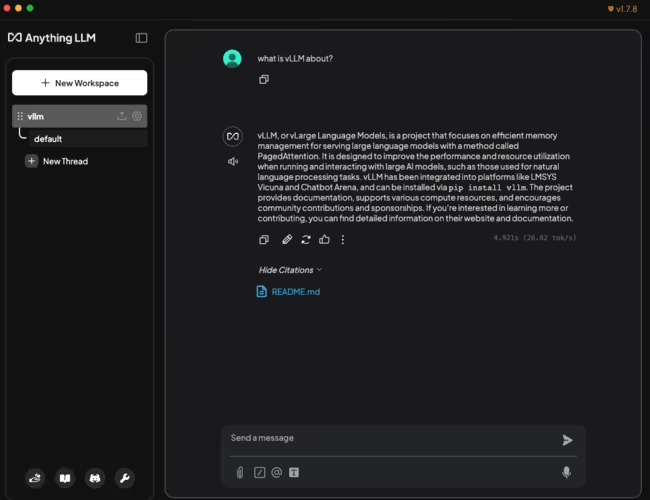
Ollama is the simplest way to run models on a single server and has ready connections to many tools, including Paperless-AI, an extension that adds model-based document tagging and chatting with the archive to Paperless-ngx. llama.cpp also runs on the CPU alone and supports models quantised in the GGUF format. vLLM fits where many people or applications use the model at once, because it makes better use of the card under parallel requests. Most of these tools expose an OpenAI-compatible API, so an application can be switched from a cloud model to a local one without a rewrite.
Where to start with a local LLM
Before buying hardware, it helps to define the tasks: should the model only describe documents in the background, answer employees' questions or draft new documents? Then it is worth trying a few models on your own documents, ideally on a rented server, and comparing answer quality on a set of typical questions. Only then is it clear which model size is enough and what hardware can carry it. BeGiga designs such servers, selects graphics cards and local models and connects them to the document archive as part of its AI and document analysis service.
Frequently asked questions: Local LLM
Will a local language model work without a graphics card?
A small model can run on the CPU and system RAM alone, for example through llama.cpp or Ollama. Answers come noticeably slower than on a graphics card, though, and with several users at once the server soon falls behind. For tagging documents in the background that can be enough, for chatting with an archive it usually is not.
How much VRAM does a local LLM need?
As a rough guide, a model quantised to 4 bits takes a little over half a gigabyte per billion parameters, plus memory for context and parallel requests. A model with a few billion parameters fits on an 8–12 GB card, mid-sized models need 24 GB or more, and the largest need several cards or a server with a very large memory pool.
Does working with company documents require training our own model?
Usually not. Most projects get by with a ready model connected to an organised archive through RAG, meaning retrieval of document fragments that are passed to the model along with the question. Fine-tuning makes sense for very specific language or answer formats, and it needs stronger hardware than running the model.
- Local LLM
- VRAM
- Ollama
- Paperless-AI
- RAG