
Cloudflare not blocking bots? Why server load stays high
Cloudflare is on, yet bots still load the server. Why defaults rarely help, how AI bot classes can block Googlebot and which integrations must stay open.
This scenario recurs frequently. A store starts to lag, the hosting company points to excessive traffic, somebody activates Cloudflare from the hosting panel, the domain is redirected and the matter appears settled. A week on, server load remains unchanged, and fresh trouble has piled up: payments throw errors, site changes fail to appear, an integration ceases to fetch data and the mailboxes drown in even more spam.
When Cloudflare is not blocking bots the way the owner expected, the fault does not lies with Cloudflare itself. The service operates on default settings and has no idea which parts of the store are costly, which robots the store depends on or what an ordinary customer looks like. That understanding must be translated into a configuration shaped around the store and the services it cooperates with, and the configuration must subsequently track what happens to the traffic.
What switching Cloudflare on actually gives
Once the domain is pointed at it, Cloudflare positions itself between visitors and the store. It accelerates delivery of images and static files to relieve server resources and conceals it's address and soaks up the simplest network-level attacks. Traffic resembling ordinary visits stays outside its reach, however. A crawler pulling thousands of product pages, or a program verifying prices every few minutes, passes through Cloudflare to the server exactly like a customer.
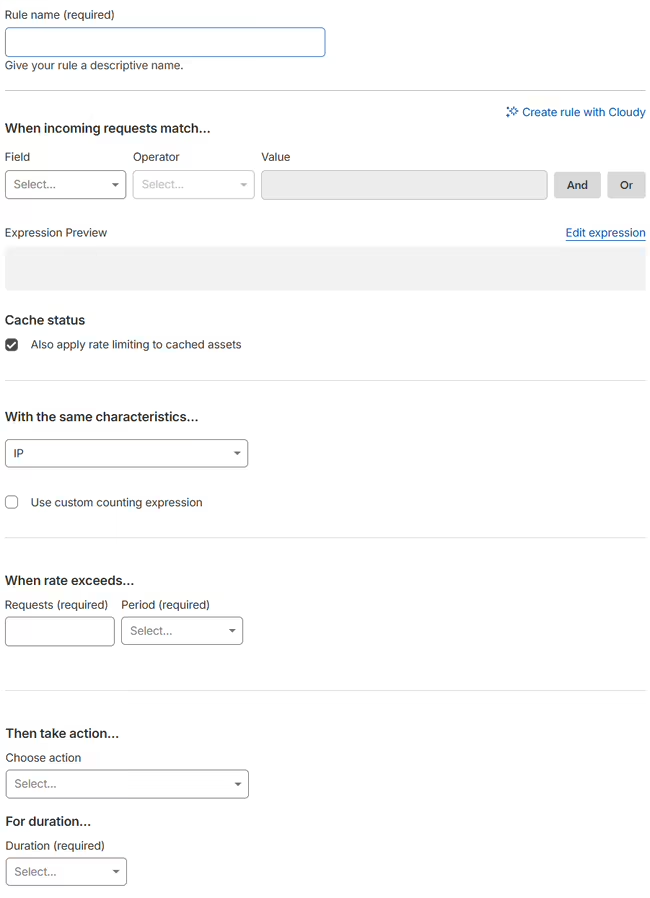
When the store has not been prepared, the outcome can run counter to the intention. Forms lacking protection such as CAPTCHA or Cloudflare Turnstile begin drawing more spam. Suspicious traffic swells as well, since DNS record changes are logged and followed by third-party services, and half-finished protection makes an easy mark for scrapers and form-abusing bots. What genuinely alters the load is configuration: firewall rules, request limits and caching settings picked for the particular store.
Not all automated traffic is harmful
The term "bot" implies something to shut out, yet a share of automated traffic is vital to a store, and blocking search engine crawlers can slash organic traffic. Googlebot and Bingbot determine whether the store surfaces in search results at all. Where the store also sells via Google Merchant Center, Amazon or price comparison sites, their robots routinely verify that prices and availability shown in the store agree with the marketplace data. Advertising pixels and analytics tools behave in a comparable manner.
Next to them sits traffic that brings the store nothing. Aggressive AI crawlers pull down entire stores to train language models, scrapers lift descriptions and prices, and other programs search for security holes. A sound configuration opens by dividing these groups: important robots, friendly but expensive ones, and those that merely burden the server.
Integrations that must not be blocked
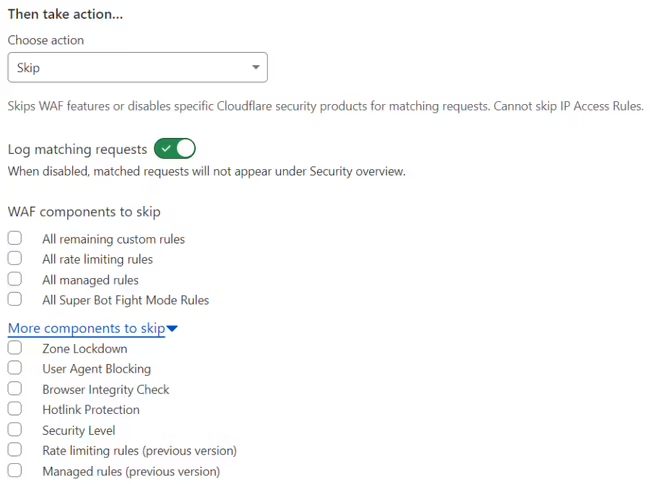
After Cloudflare goes live, the connections that break most often are the ones that do not come from a customer's browser. BaseLinker (Base.com) calls an integration file on the store to fetch orders and update stock, and Ebay, Amazon sales frequently run through it as well. Price comparison sites download the store's product feed, Google Merchant Center checks prices and availability on product pages, and courier integrations such as exchange shipment and pickup point data with the store.
Payment provider webhooks form a separate group. They are how the store learns that a customer has paid. If the firewall treats such a request as a bot and answers with a challenge or an error, the order stays in the awaiting payment status even though the money has arrived. These connections are therefore exempted from challenges and rate limits with rules based on the integration's addresses and paths, never on the User-Agent header alone, which is trivial to fake. After every rule change, the security events in the Cloudflare dashboard deserve a look to confirm that none of these services appear among the blocked requests.
Which parts of a store suffer most
Within PrestaShop and most PHP-based stores, the costliest spots are those where the server recomputes something on each page view: site search, filters and faceted navigation, wishlists, product comparisons and reviews. A crawler wandering through every filter combination can generate more work than hundreds of customers.
Background requests dispatched by third-party modules come next, frequently on every page load. Under ordinary traffic they go unnoticed, yet once several crawlers arrive simultaneously, these requests multiply alongside them. How that load converts into store speed and measurement scores is examined in slow PrestaShop store? A Lighthouse score is not the whole story.
Correct SEO setups help, but won't stop every crawler
Accurate SEO tags, linking and a well-formed robots.txt constitute the first step. They steer Googlebot and Bingbot clear of thousands of worthless filter and sort URLs, which spares the server and preserves the crawl budget, meaning the number of pages a search engine is prepared to visit.
Aggressive AI crawlers remain untouched by these settings, as some of them disregard both tags and robots.txt. Such behaviour surfaces in server logs, making it worthwhile to inspect them regularly and to answer with rules and limits in Cloudflare or by optimising the pages struck most often.
AI bots in Cloudflare: the Search, Agent and Training classes
In July 2026 Cloudflare replaced the single "Block AI bots" toggle with three traffic classes. Search covers robots that index a site for search engines, AI-based ones included. Agent covers AI assistants visiting a site on behalf of a specific user, for instance to compare products. Training covers crawlers collecting content to train models. New defaults have applied since 15 September 2026: on pages that display ads, Cloudflare blocks the Training and Agent classes for new domains, new sites of existing customers and zones on the Free plan. A zone where nobody has ever saved an explicit AI bot preference runs on exactly these defaults.
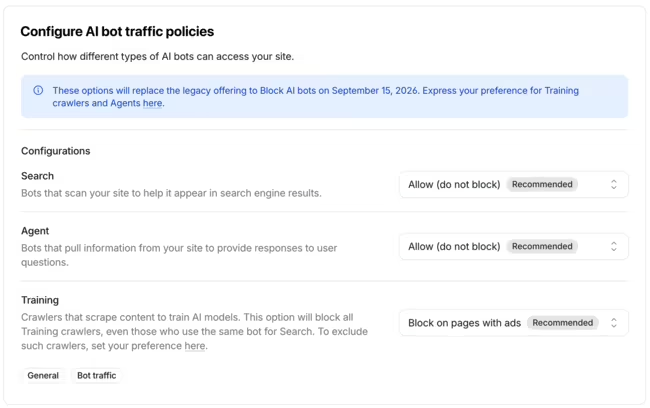
Stores seldom display ads, so the defaults alone affect them less than publishers. The real trap lies in blocking the Training class by hand. Googlebot, Bingbot and Applebot serve search and model training at the same time, and Cloudflare judges such robots by the most restrictive rule that matches them. A Training block, including one set through the old "Block AI bots" toggle, can therefore stop search engine robots: there have been reports of Googlebot and Bingbot receiving 403 errors when fetching the sitemap. A store that only wanted to keep its product descriptions out of model training then loses its Google visibility. The safer route is to save a deliberate choice for each of the three classes, add rules that explicitly let search engine robots through, and check server logs and Google Search Console for 403 errors.
Crawler behaviour changes
No configuration can be set once and left alone. A robot that behaved predictably for years may abruptly begin producing excessive traffic and straining the server. Re-analysing and tuning the settings then involves weighing two concerns. The server must be shielded so the site stops returning 500 errors caused by overload. Simultaneously the store must remain reachable for search engines, since throttling their robots too severely quickly becomes visible in organic traffic and can also markedly constrain ad campaigns that depend on product data. This sort of traffic and protection review forms part of an e-commerce audit.
Prevention versus firefighting
When a store is collapsing under traffic at this very moment, the priority is halting the problem quickly, even at the price of temporary restrictions. With prevention there is room to analyse traffic, draft rules for the store and confirm they leave payments and integrations untouched. Firefighting ought to be succeeded by recurring reviews of the configuration and the access logs, because temporary rules tend to linger for years.
Is the free plan enough?
For the majority of simple stores and PHP web applications the free Cloudflare plan suffices, provided it is configured properly. Bear in mind, however, that Cloudflare's OWASP Core Ruleset, guarding against the most common types of application attacks, comes only with paid plans. For that reason a server-side application firewall such as ModSecurity for Apache is frequently advised next to the free plan. Paid plans and alternative providers become sensible at higher traffic or more complex requirements.
The takeaway
Every store and web application calls for a Cloudflare configuration fitted to its hosting, payment gateways and integrations, since these are the elements that most often break once certain features are activated. Regular traffic monitoring carries equal weight, ensuring protection never harms SEO, search robots or the marketplaces that depend on data pulled from the store.
Frequently asked questions: Cloudflare
Will simply activating Cloudflare stop bots?
No. Pointing a domain at Cloudflare provides a content delivery network and defence against the simplest attacks, yet traffic resembling ordinary visits continues to reach the store's server. Proper firewall rules and settings must be switched on, and the store must be prepared for its assets to be cached. Certain features produce side effects, for instance trouble with payments or integrations. The setup likewise differs between a store already facing a traffic problem that needs an immediate fix and one where the aim is prevention.
After setting up Cloudflare I can't see the changes I make to the site. What's going on?
Changes may be held back in two places: the browser cache and the Cloudflare cache. While work is underway you can enable Cloudflare's development mode, which temporarily bypasses its cache. Given a correct store and theme configuration, with versioned CSS and JavaScript files, the problem should not arise at all, since every change receives a new file address. Verifying this belongs to BeGiga's audit services.
Can I just block all bots?
Not without losses. Certain bots are important for search visibility, others for integrations with marketplaces and advertising services. Excessively aggressive settings may shut out Google's robots or disrupt integrations on which the store's sales rely.
- Cloudflare
- AI crawlers
- Automated traffic
- PrestaShop
- SEO