
Sites without a database: when Markdown files suffice in place of a CMS
A simple website can run without a database or a CMS. How Markdown-based sites work, which tools edit them, where they fit and what limits they have.
The majority of content management systems, WordPress among them, keep text inside a database and build a page from it on each visit. That suits situations where content shifts daily and numerous people publish it. A plain company website, portfolio or business card site can, on the other hand, operate with neither a CMS nor a database, holding its content in ordinary files. This is particularly effective when content rarely changes or when only someone technical edits it.
How a Markdown (.md) website functions
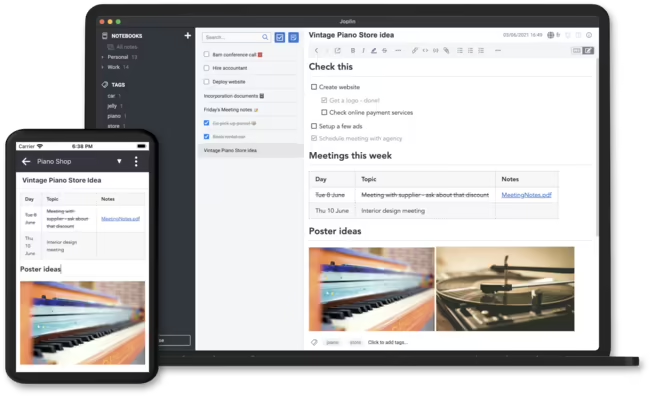
Markdown ranks today among the most widely used markup languages. Its approach differs from editors like Microsoft Word, where buttons format text and the outcome appears at once. With Markdown the formatting gets written into the text using basic characters: a hash at the beginning of a line creates a heading, while two asterisks placed before and after a word render it bold. Initially it appears odd, yet learning it goes quickly, and plenty of apps display a formatted preview while you type. Markdown files can be composed and modified in Visual Studio Code, Obsidian, Notion, or in the browser through online editors such as StackEdit and Markdown Live Preview.
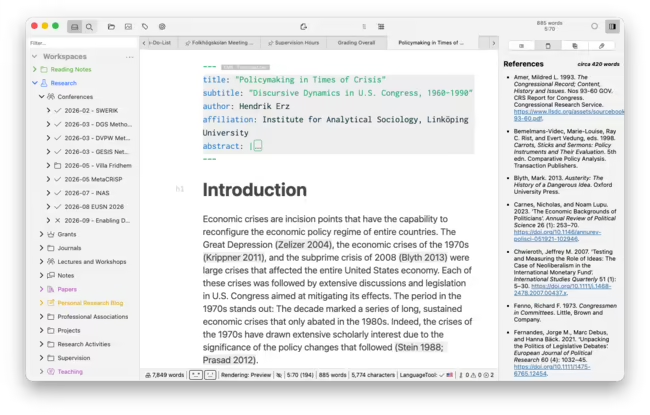
Structured data, for instance a list of services, a price list or contact details, typically resides in JSON files. A static site generator, an application written in JavaScript or PHP, reads those files, merges them with a template and generates finished HTML files together with their URL structure, ready for publishing. The way the generator interprets the files can be tailored to the template and the project.
The most widely used generators, including Eleventy and Astro, live in the JavaScript ecosystem and publish only the finished files along with the images and scripts they require. Building the site calls for Node.js, and changes normally get published via a code repository. For a developer that is handy; for someone non-technical it may become an obstacle.
When a CMS isn't required
Across very simple projects there is a distinct movement towards abandoning not just WordPress but headless CMSs too, separate content panels from which the site pulls data. For a site with a handful of pages whose content changes a few times per year, there is no reason to bother with publishing stages, text approval or supporting numerous non-technical editors. Anyone who prefers working with files over clicking through panels merely needs a folder structure and files edited in whatever editor.
A site like this is quick, requires no plugin updates and contains no database, public endpoints or PHP scripts to attack. The advantages and drawbacks relative to WordPress appear in static site generators or WordPress, while designing and building such sites, product catalogues and business websites included, forms part of the system design and websites service.
Solutions in the middle ground
The largest drawback of file-based sites is that operating them demands familiarity with developer tools: repositories, Node.js, server access and the command line (CLI), a text interface where commands get typed rather than windows clicked. Middle-ground options and quite simple admin panels do exist to soften this, though. HydePHP is one illustration, a generator running on PHP rather than JavaScript. It offers a mode that builds pages on the fly for preview and allows editing Markdown content straight in the browser, meaning certain changes can happen without the command line. Any option of this kind ought to be verified against the particular hosting.
Limits of a site without a database
A site without a database fits poorly wherever content search, comments, user accounts or frequent publishing by many people are required. Every feature can be introduced as a microservice or external integration, yet that demands extra tools and the site ceases to be a simple, single piece. Should it be intended to grow into a publication with daily updates, where editors publish without touching a console or code, a classic CMS is the more reasonable pick.
A site lacking a CMS also expects the writer to understand basic SEO. Classic systems provide ready plugins that handle headings, descriptions and structured data, even when the author remains unaware of it. Images work the same way: inserting and optimising them must be managed systematically by the generator. CMSs share this problem, so it is not exclusive to static sites.
Markdown and language models
Markdown files carry one further advantage that is growing in significance. Large language models cope with the format extremely well, since it is simple and readable for people and models alike. It is economical too: identical text consumes fewer tokens in Markdown than in HTML, so AI tool limits get used up more slowly. An AI assistant can draft a new post or revise a page as a ready Markdown file that you drop into the project and rebuild with the generator. For personal sites, portfolios and small business websites that don't need daily attention, Markdown files plus an AI assistant can rank among the simplest ways to run a website.
Frequently asked questions: Static sites
Is writing Markdown simple?
Yes. Markdown consists of plain text with a handful of easy marks, so any editor can handle it, for instance Obsidian, Notion, Visual Studio Code or even Notepad. Large language models also cope with it very well, since it ranks among their most frequent text formats. Composing Markdown is simpler than composing HTML and frequently yields more predictable results than visual editors like TinyMCE inside website admin panels.
Which programs let me open and edit .md files?
Common desktop options include Visual Studio Code, Obsidian and Notion. If you prefer not to install anything, online editors like StackEdit or Markdown Live Preview work, and they display a formatted preview immediately. A .md file can likewise be opened in a web browser or modified in plain Notepad, since it is nothing but text.
Is printing a .md file possible?
Yes. Open it in an editor that offers a preview, for example Obsidian, Visual Studio Code or StackEdit, then print the formatted view or save it as a PDF.
Should an existing WordPress site be moved to files?
Generally no. No-database websites suit new, small business sites well. Relocating a functioning WordPress site requires rebuilding forms, search and other features, and for bigger sites the payoff is rarely there.
Can search work on a no-database website?
It can, yet this is among its weaker areas. Searching content demands additional tools or an outside service and is less handy than in database-backed CMSs like WordPress or Joomla. A site containing just a few pages typically has no need for it.
- Static sites
- Markdown
- Eleventy
- Astro
- HydePHP